

You use Clio. You like Clio. It handles your billing, your calendar, your client intake, your trust accounting. It keeps the lights on.
But here’s what it doesn’t do: help you win cases.
If you’re a litigator working a document-heavy matter — employment, personal injury, commercial disputes, criminal defense — you’ve probably already discovered this the hard way. Somewhere between your third deposition and your 400th page of medical records, you realized that Clio’s matter management isn’t the same thing as case preparation. Your facts are in a dozen different places. Your chronology lives in a Word doc that three people have edited and nobody trusts. And when opposing counsel throws you a curveball in the middle of cross-examination, you can’t pull up the contradicting testimony in five seconds.
That’s the gap. And it’s exactly why tools like FactBox exist — not to replace Clio, but to fill the hole it was never designed to fill.
Clio Is a Practice Management Platform. That’s Not the Same Thing.
Let’s be clear: Clio is the most widely adopted legal practice management platform in North America, and for good reason. At its core, it does an excellent job of centralizing firm operations — billing, time tracking, calendaring, document storage, client communications. It integrates with over 300 third-party apps. It has a client portal. It even has AI-powered features through Clio Work that can summarize documents and surface case law.
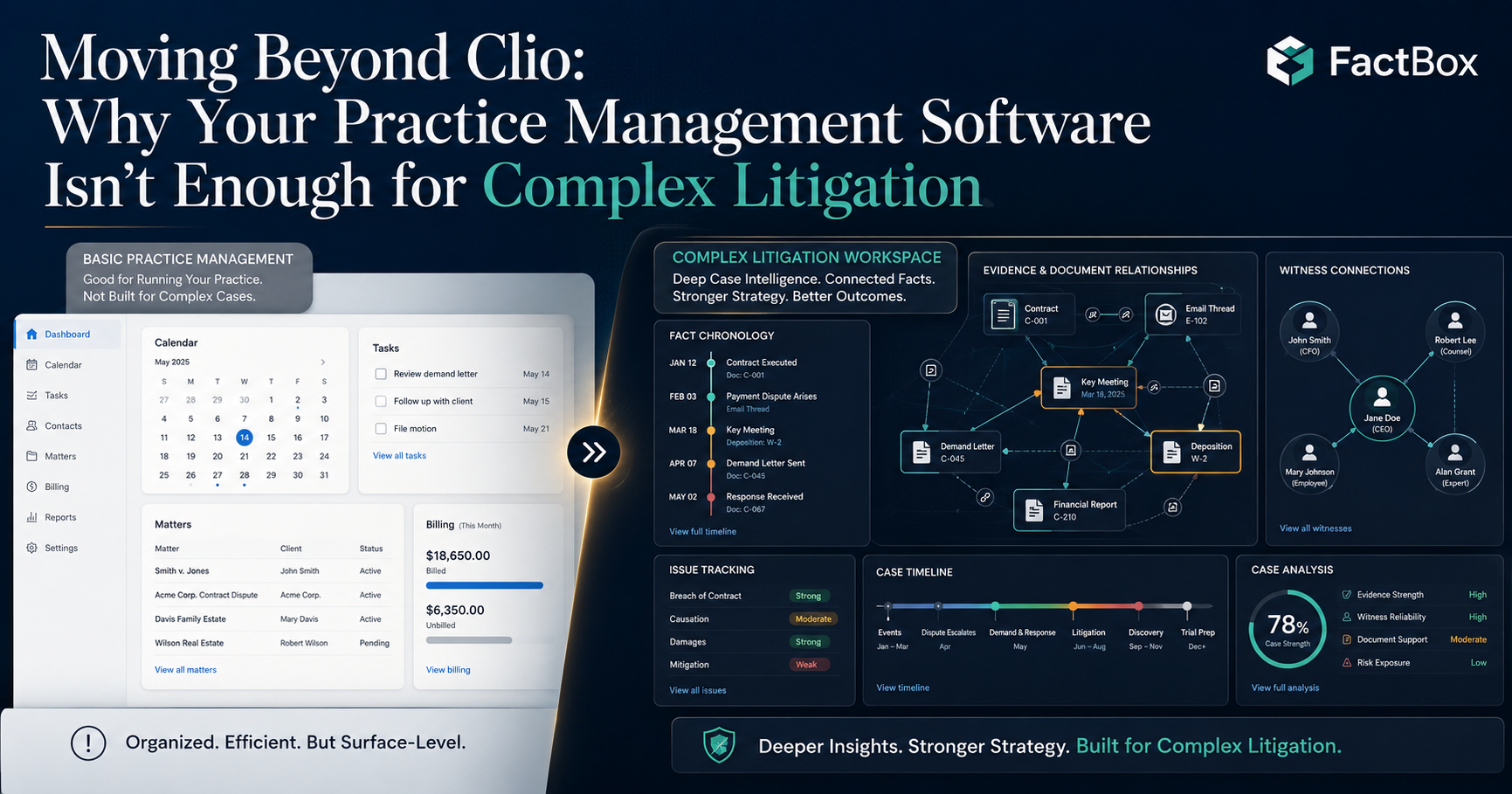
But practice management and case preparation are two fundamentally different disciplines. Clio answers the question: How do I run my firm efficiently? FactBox answers the question: How do I build the strongest possible case from the facts in front of me?
Here’s where that distinction plays out in practice:
Clio organizes your matters. It tracks deadlines, stores documents, logs communications. Think of it as the filing cabinet and the clock on the wall — essential, but passive. It holds information. It doesn’t help you think about that information.
FactBox organizes your facts. It lets you build a living, connected chronology where every fact links to its source document, its relevant issues, its witnesses, and its custom tags. It doesn’t just store your case — it structures the argument.
The difference matters most when you’re 10 days from trial and your opposing counsel just produced 200 new pages of documents. In Clio, those documents go into a folder. In FactBox, those documents become indexed facts connected to your existing case narrative within minutes.
The Chronology Problem
Ask any experienced litigator what wins cases and they’ll tell you: mastery of the facts. Not just knowing what happened, but knowing the connections — which witness contradicts which document, which email proves the timeline your opponent is pushing is wrong, which medical record doesn’t match the deposition testimony.
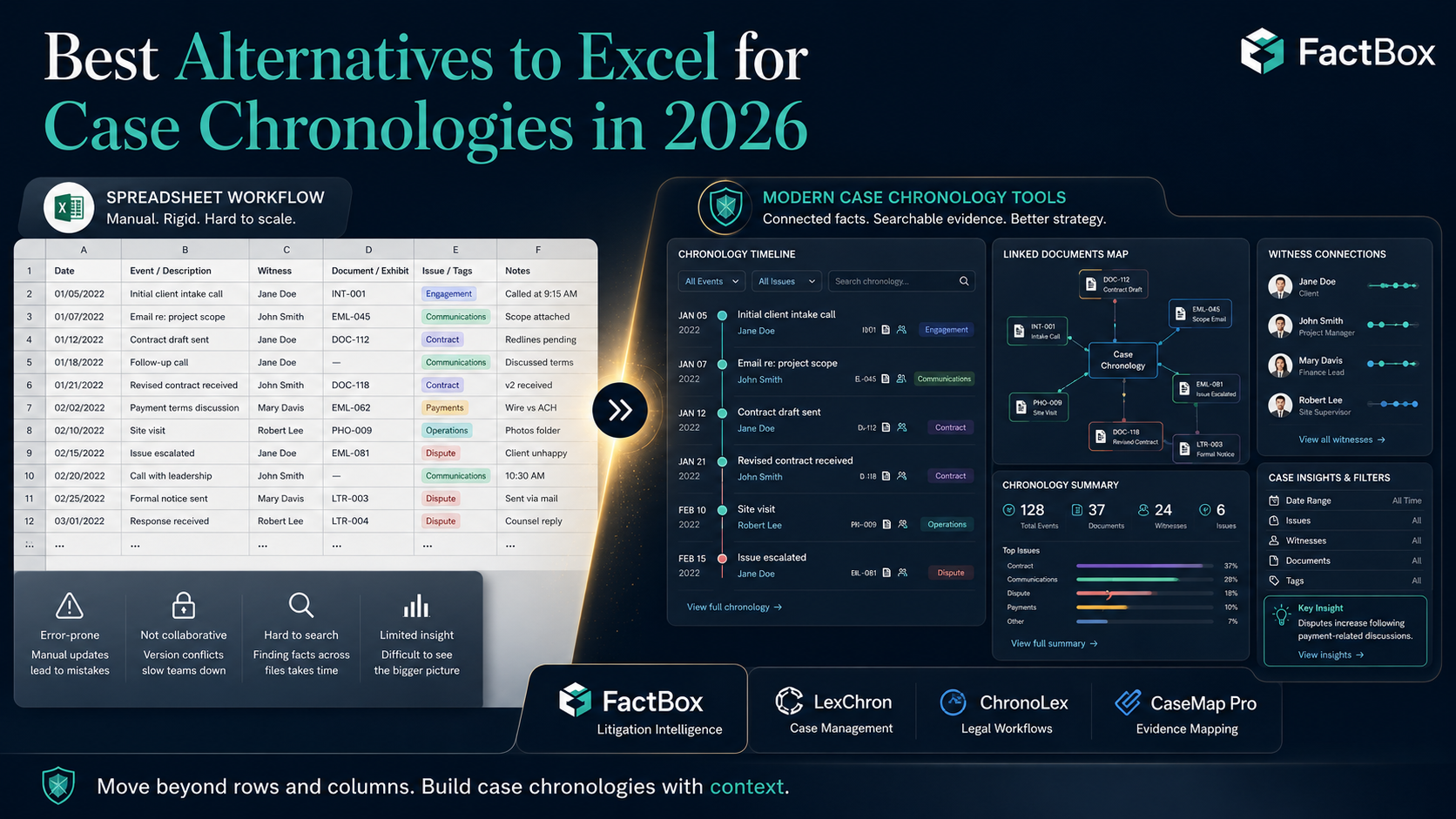
The overwhelming majority of litigators still build chronologies in Excel or Word. There’s nothing wrong with that for a simple case. But for anything with more than a few dozen facts, spreadsheet chronologies break down fast:
- There’s no link between the fact and the source document. You have to go find it separately.
- There’s no way to filter your chronology by issue, witness, or theme without manually building separate tabs.
- Version control is a nightmare. Which version did Sarah update? Did Mike’s edits get merged?
- There’s no collaboration layer. You can’t have a paralegal adding facts while you’re reviewing them in real time.
Clio doesn’t solve these problems. Its document management features are excellent for storage and retrieval, but they don’t create the analytical layer that turns a pile of documents into a coherent case theory.
FactBox was purpose-built for exactly this. When you upload a document, the platform extracts facts, dates, and connections. You tag them by issue and witness. You build a hierarchical issue structure — issues, sub-issues, sub-sub-issues — that mirrors the way you actually think about your case. And when you need to prepare for a deposition on Thursday, you filter your entire chronology to show only facts related to that witness, linked to the source documents, in 30 seconds.
Where Clio Work Overlaps — and Where It Doesn’t
In fairness, Clio has been moving aggressively into AI-powered case analysis. Clio Work, their research and strategy platform, can now build a chronological view of a case from uploaded documents, surface relevant precedent, and help draft motions grounded in your case facts. That’s genuinely useful.
But there’s a meaningful difference between an AI-generated chronology and a managed chronology. Clio Work can give you a first pass — a machine-generated summary of what happened. FactBox gives you a system for building, refining, and interrogating that chronology over the life of the case. New facts update all linked chronologies automatically. Your entire team works from the same organized case file with changes syncing instantly. And because FactBox was designed around the concept of issue-based organization, every fact you enter has a structural relationship to the legal arguments you’re building.
Think of it this way: Clio Work helps you read your documents faster. FactBox helps you build your case from them.
The Integration Angle: They Work Better Together
Here’s the good news — this isn’t an either/or decision. FactBox integrates with Clio, along with other tools you’re already using like Dropbox and Box. Your matter management, billing, and calendaring stay in Clio. Your fact management, case chronologies, and trial preparation move to FactBox.
The workflow looks like this:
- A new matter comes in. You set it up in Clio — contacts, billing, deadlines, the whole practice management layer.
- Discovery documents start flowing. You upload them to FactBox, where they get organized into a structured, searchable chronology linked to issues and witnesses.
- Your paralegal adds facts. Your co-counsel adds facts. Your associate adds facts. Everything syncs in real time.
- You need to prep for a deposition? One click generates a witness-specific chronology with every fact linked to its source document.
- Trial prep? Generate issue-based timelines for motions. Build case summaries for client updates. Pull trial-ready reports instantly.
- All the while, Clio keeps tracking your time, managing your billing, and making sure you don’t miss a deadline.
This is the stack that works: Clio for running the firm, FactBox for winning the case.
What This Looks Like in Practice
Here’s a concrete scenario. You’re handling a wrongful termination case. Over three months of discovery, you’ve accumulated:
- 6 depositions
- 1,200 pages of HR records
- 300+ emails
- Performance reviews spanning 5 years
- An internal investigation report
In Clio, all of this lives in a document folder. You can search by filename. You can tag documents. But building the narrative — connecting the email from March 12 to the contradicting testimony on page 47 of the HR director’s deposition to the performance review that suddenly appeared after the plaintiff filed a complaint — that’s on you, in a spreadsheet, by hand.
In FactBox, each of those connections is a structured relationship in the system. You tag the March 12 email as relevant to the “pretext” issue, link it to the HR director as a witness, and note the contradiction. When you’re writing your motion for summary judgment, you filter to the “pretext” issue and every supporting fact is there, in chronological order, with one-click access to the source document.
FactBox users report reducing client briefing prep from 3 hours to 5 minutes. That’s not a marginal improvement. That’s a category change in how litigation teams operate.
Making the Transition
If you’re a Clio user considering FactBox, the transition is straightforward:
- You don’t replace anything. Clio stays. FactBox layers on top.
- Setup takes minutes, not weeks. Upload your case documents and start building your chronology immediately.
- No technical expertise required. If you can use a web browser, you can use FactBox. The interface was designed for litigators, not IT departments.
- Your whole team gets access. Share cases with associates, paralegals, and co-counsel. Everyone works from the same facts.
- Pricing is simple. Plans start at $49/month with unlimited cases and no setup fees.
The Bottom Line
Clio is excellent at what it does. It’s the best practice management platform for a reason. But practice management and case preparation are different jobs, and trying to force Clio into a role it wasn’t built for means you’re leaving your most important work — mastering the facts — to spreadsheets and manual processes.
FactBox was built by people who came from careers in corporate investigations and litigation. They built the tool they wished they’d had. If you’re a litigator who uses Clio and you’ve ever felt the gap between managing your practice and actually preparing your case, that gap has a name.